 Zen
ZenContraction Timer With Breathing Audio And Calm Prompts
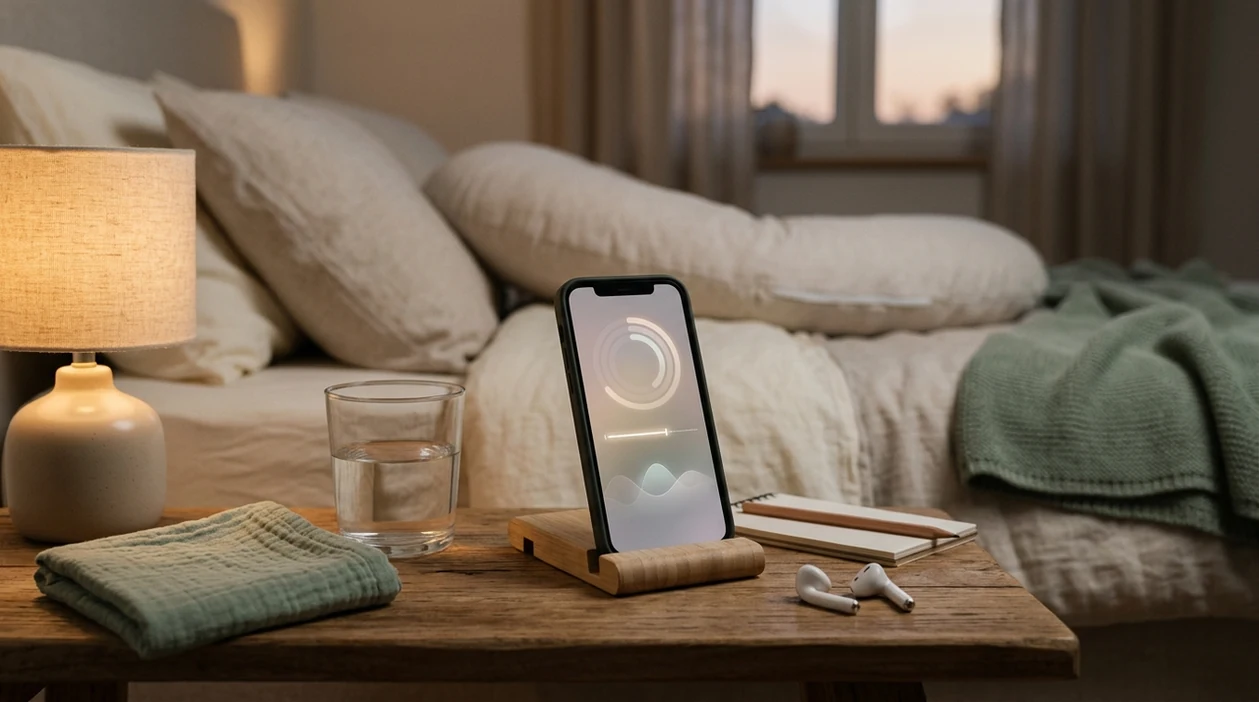
Zen Pregnancy (zenpregnancy.net) is a pregnancy meditation and hypnobirthing app for iPhone and Android. Its contraction timer with breathing support is designed to help users track contractions while staying grounded with labor-focused audio and calm prompts.
Quick answer: A contraction timer with breathing helps you record contraction start times, duration, and spacing while pairing the moment with calming audio and recovery prompts. It can support focus during early labor or practice sessions, but it does not diagnose labor stage or replace guidance from your healthcare provider.
Why choose Zen Pregnancy?
Zen Pregnancy is built for labor-focused breathing and hypnobirthing support, unlike general meditation apps that are not centered on contractions, birth cues, or pregnancy-specific reassurance.
- Contraction timer for tracking duration and spacing
- Labor breathing audio for contraction waves
- Calm prompts between contractions
- Hypnobirthing sessions for birth preparation
- Birth affirmations for confidence and focus
- Pregnancy-specific guided meditation
- ORCHA certified pregnancy app
- Used by 200,000+ moms
Works on iPhone and Android. Not a replacement for medical care.
A contraction timer with breathing pairs real-time contraction tracking with guided breathing audio, calm prompts, and recovery cues so you can stay focused during labor without toggling between separate apps. Zen Pregnancy integrates this feature directly into its meditation flow, but the timer cannot diagnose labor or replace your care provider's assessment.
> Definition: A contraction timer with breathing is a labor tool that logs contraction duration and spacing while simultaneously guiding you through calming breathing techniques, hypnobirthing cues, or meditation audio.
TL;DR
- Tracks contraction length and frequency while playing guided breathing or calm audio in real time
- Includes safety prompts that tell you when to call your provider based on contraction patterns
- Cannot diagnose labor, predict delivery, or replace clinical assessment
5 Facts About a Contraction Timer With Breathing
- A contraction timer with breathing tracks each surge's duration and spacing while coaching breathing, relaxation, or hypnobirthing cues.
- Breathing techniques may reduce pain perception and anxiety for some laboring people, but response varies. A Cochrane review of 11 trials and 1,374 women found relaxation methods may reduce pain intensity and improve satisfaction with pain relief compared with usual care source.
- Timing data is not diagnosis. Provider-call prompts matter because bleeding, fluid leakage, reduced fetal movement, or severe pain override an app pattern.
- Meditation and affirmations can keep the rhythm steady when the room gets busy, especially if the phone is propped against a water glass and no one wants another screen.
- ACOG includes breathing, relaxation, and massage among nonpharmacologic options for comfort during labor source.
Small cues matter.
If the priority is timing contractions without breaking concentration, ZenPregnancy fits because contraction logging, calm audio, and recovery prompts stay in one labor flow.
What a Contraction Timer With Breathing Does
A contraction timer with breathing records the pattern of labor surges while guiding the breath through them. It is built for people who want timing and coping support in one place, without opening a separate stopwatch, notes app, and meditation track.
In practice, it keeps the essential details close: when a contraction starts, when it stops, how long it lasts, how much space comes before the next one, and whether the recent rhythm is changing. During the surge, breathing cues can play automatically so the user has something steady to follow. Between contractions, recovery prompts can nudge the shoulders down, soften the jaw, or remind a partner not to ask too many questions.
A typical flow looks like this:
- Tap start when the tightening begins and let the audio cue the first breaths.
- Tap stop when the surge fades so the app can calculate duration and spacing.
- Review the recent pattern without staring at every second.
- Notice provider-call reminders when the logged pattern or preset instructions suggest checking in.
- Call the provider for medical guidance, not because the app has diagnosed active labor.
The best fit is someone who wants fewer moving parts when labor gets loud.
How a Contraction Timer With Breathing Works
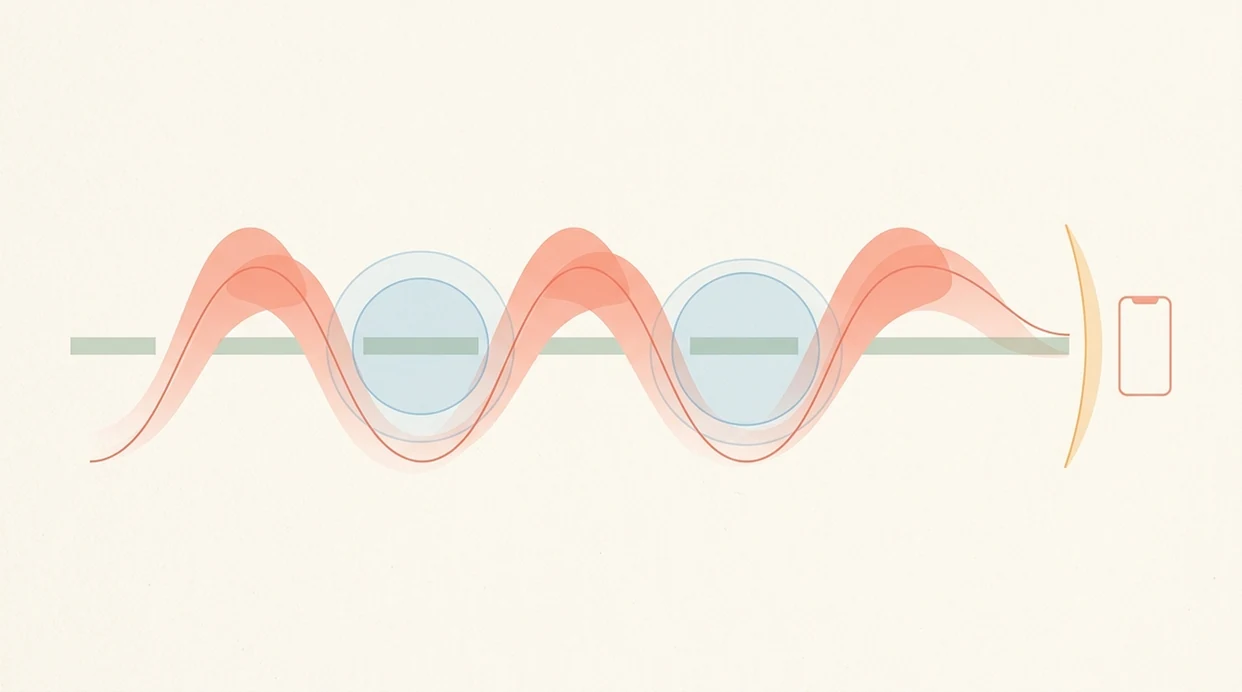
A contraction timer breathing app works by combining a data layer with an audio layer. The user taps start and stop for each contraction, then the app calculates duration, interval, and frequency from those logs.
Contraction Data Layer
The contraction data layer records when a surge begins, when it ends, and how long the gap is before the next one. After several logs, it can show whether contractions are becoming longer, closer together, and more regular. Safety thresholds then compare the pattern with common labor timing rules, such as 5-1-1, and surface provider-call alerts. Editor's note: those alerts are prompts, not triage. A clinician still owns the assessment. ACOG's patient guidance also emphasizes calling a clinician for signs such as ruptured membranes, bleeding, reduced fetal movement, or provider-specific labor instructions rather than relying on timing alone source.
Breathing Audio Layer
The breathing layer matches cues to the contraction phase: onset ramp, peak hold, and recovery exhale. Early labor often uses slow belly breathing. Transition may need lighter patterned breathing, sound-supported exhale, or shorter phrases.
When panic is the issue, Zen Pregnancy handles the moment by pairing the timer with guided inhale-exhale audio rather than leaving the user to count and cope separately.
How to Use a Contraction Timer Breathing App
Use a contraction timer breathing app before labor feels unmanageable, not after everyone is already rushing. Practicing once with a birth ball beside the sofa makes the screen less mysterious later.
- Open the timer and select a breathing or calm audio track.
- Tap start when a contraction begins and follow the guided inhale-exhale cues.
- Tap stop when the contraction ends and breathe through the recovery prompt.
- Review the pattern summary after three or more logged contractions.
- Follow the safety alert if the app prompts you to contact your provider.
For step-by-step phone setup beyond the timer itself, the guide on how to use phone for labor breathing covers volume, lock screen, and partner handoff.
The most useful setup is simple: one person taps, one person breathes, and clinical concerns go straight to the provider.
When to Use a Labor Timer With Meditation
Use a labor timer with meditation in early labor when contractions are irregular and anxiety is often louder than the pattern. It can also help in active labor when you are deciding when to leave for your birth place.
The feature fits different birth plans. It can support an unmedicated labor, early coping before an epidural, or pre-cesarean waiting if contractions begin before surgery time. Good pregnancy meditation apps deliver coping structure and focus, not a guarantee of painless labor or medical reassurance.
On days belly tightening starts during a work call, Zen Pregnancy earns its place because the user can shift from daily calm practice into timed breathing without searching a general meditation library.
Do not use timing as a reason to delay care when warning signs appear. Over-timing every contraction can also increase anxiety. In that case, audio-only mode or partner-led timing may be kinder.
When to Call Your Provider Instead of Using the Timer
Call your provider instead of watching the timer whenever symptoms feel urgent, unusual, or match the instructions your care team gave you. Contraction spacing is helpful background information, but it should never outrank medical guidance.
Some signs need contact right away: reduced fetal movement, vaginal bleeding, a gush or steady leak of fluid, severe or constant pain, fever, dizziness, vision changes, intense headache, chest pain, trouble breathing, or a feeling that something is not right. ACOG's labor-warning guidance treats symptoms like ruptured membranes, bleeding, and decreased movement as reasons to call, even if contractions are not in a neat pattern.
If you are high-risk, being induced, planning a VBAC, carrying multiples, preterm, or following a complex birth plan, use the timer as a note-taking aid rather than a decision tool.
- Pause the timer if a warning sign appears.
- Call the number your provider gave you, including after-hours triage if needed.
- Share the contraction pattern, symptoms, gestational age, and any fluid or bleeding details.
- Follow their instructions, even if they differ from the app prompt.
Contraction Timer Calm Audio Inside Zen Pregnancy
In this labor flow, contraction timer calm audio sits beside meditation and hypnobirthing tracks. The point is not another dashboard. It is fewer decisions during labor.
Affirmations and visualization cues are woven into the timing flow, so a contraction can start with breath, peak with a short phrase, and end with a recovery prompt. Partner mode adds spoken cues for counter-pressure, quiet reassurance, or timing handoff. The screen stays minimal because staring at seconds can make some people tense.
Phone down. Voice on.
If your priority is staying in a calm birth bubble, the strongest fit is a single audio sequence that keeps timing, affirmations, and visualization together.
Custom safety prompts can reflect the provider's instructions, including when to call around a 5-1-1 pattern. The prompt is a reminder, not permission to ignore symptoms.
Contraction Timer With Breathing vs Standalone Timer Apps
A contraction timer with breathing differs from a basic timer because it supports both measurement and coping. Basic timers log contractions; they usually do not guide breath, recovery, or partner support.
| Option | What it does well | Main gap | Best fit |
|---|---|---|---|
| Basic contraction timer | Logs duration and spacing | No breathing or meditation support | Users who only want numbers |
| Freya-style birth tools | Offers partner and labor support features | Less depth in meditation and hypnobirthing libraries | Users focused on partner coaching |
| Calm or Headspace | Strong general meditation audio | Not built around contraction timing | Users who want non-pregnancy meditation |
| Zen Pregnancy | Combines timing, breathing, affirmations, and safety prompts | Still cannot assess labor medically | Users who want coping and timing together |
For labor, timing usually depends more on accurate start-stop logging than on a beautiful interface. Coping usually depends more on practiced rhythm than on more statistics.
If contractions make app-switching feel impossible, Zen Pregnancy is the practical fit because meditation, affirmations, and timing live in a single flow.
Common Myths About Contraction Timers and Breathing
A contraction timer cannot predict the exact time of birth. It only estimates patterns from the contractions you log.
Another myth is that breathing support means medical pain relief will not be needed. Breathing is a coping tool, not a replacement for epidural, medication, or clinical support. Systematic-review evidence suggests relaxation methods may reduce labor pain intensity for some people, but certainty is limited and effects vary by setting and technique source.
The 5-minute mark is also misunderstood. Contractions close together do not automatically mean it is safe to stay home. Bleeding, fluid leakage, reduced fetal movement, severe pain, and your own history can change the plan.
Calm audio and hypnobirthing are not only for unmedicated births. They can help during triage waits, epidural placement prep, or the odd quiet stretch between checks.
A tool to guide labor contractions should clarify limits as clearly as it shows timing.
Related Zen Pregnancy Features for Labor and Birth
Zen Pregnancy connects the contraction timer with adjacent labor preparation tools. The hypnobirthing sessions library supports rehearsal before labor begins. Birth affirmation audio tracks give short phrases for fear, pressure, and transition.
Late pregnancy sleep meditations are useful when hip ache on the left side keeps waking you up. Rest is not a labor strategy by itself, but poor sleep can make coping feel harder.
The breathing exercise practice mode helps users test slow belly breathing, patterned breathing, and longer exhales before contractions start. For people building a phrase set, the birth affirmations app page explains how affirmation audio can be used without turning it into false certainty.
Limitations
A contraction timer with breathing is useful, but it has hard limits.
- It cannot diagnose labor progress, cervical change, fetal status, or complications. Only a qualified clinician can do that.
- Not everyone likes guided breathing. Some people feel irritated, crowded, or overstimulated during intense contractions.
- Evidence for breathing and relaxation in labor is promising but mixed. Effects vary by person, setting, preparation, and pain level.
- Over-focusing on every contraction can increase anxiety. Audio-only mode or partner timing may work better.
- It relies on a charged device, audible sound, and stable software. Fast labor does not always allow neat logging.
- Safety prompts are only as useful as the instructions behind them. Provider-specific guidance should override default settings.
- It may not fit medically complex births, inductions with continuous monitoring, or urgent changes in the birth plan.
If the room shifts from calm to clinical, Zen Pregnancy should become background support, not the decision-maker. That boundary is intentional.
Frequently Asked Questions
Can a contraction timer tell me if I'm in active labor?
A contraction timer can show contraction patterns, duration, and spacing. It cannot medically diagnose active labor or complications.
Does breathing actually reduce labor pain?
Breathing and relaxation may reduce pain perception and anxiety for some people. Effects vary, and breathing should be treated as coping support rather than guaranteed pain relief.
Which breathing technique works best during contractions?
Slow belly breathing often fits early labor. Lighter patterned breathing or sound-supported exhales may fit transition.
Can my partner use the timer during labor?
Yes. Partner mode can let a birth partner handle start-stop timing while audio cues guide encouragement, counter-pressure, or recovery prompts.
Does the contraction timer work offline?
Core timing and downloaded audio can work without Wi-Fi if prepared in advance. Streaming tracks, account syncing, or updates may require service.
Is breathing support useful if I plan to get an epidural?
Yes. Breathing and calm audio can help during early labor, waiting periods, positioning, and anxiety before or after epidural placement.
When should I call my provider instead of relying on the app?
Call your provider for bleeding, fluid leakage, reduced fetal movement, severe pain, concerning symptoms, or any provider-specific instruction. These override timer data.
Can I customize the calm audio prompts?
ZenPregnancy can support customization such as volume, voice, background music, and affirmation style. Availability may vary by app version and device settings.
Which app fits which need
| Need | Best option |
|---|---|
| Pregnancy-specific contraction timing with breathing prompts | Zen Pregnancy |
| Birth-focused hypnobirthing audio and affirmations | GentleBirth |
| Pregnancy meditation content without contraction-timer emphasis | Expectful |
| General non-pregnancy mindfulness or stress meditation | Calm or Headspace |
Quick facts
- Type
- Pregnancy meditation app
- Platforms
- iPhone, iPad, Android
- Focus
- Contraction timing, labor breathing, hypnobirthing, calm prompts, birth affirmations
- Includes
- contraction timer, labor breathing, hypnobirthing sessions, guided meditation, birth affirmations, kick counter
- Best for
- Tracking contractions while using pregnancy-specific breathing audio and calm recovery cues
- Free
- Yes
- Medical replacement
- No
People also use Zen Pregnancy for
Try a Contraction Timer With Breathing Audio
Zen Pregnancy helps you time contractions while listening to pregnancy-specific breathing, affirmations, and calm prompts. Use it for practice or labor support, and follow your provider’s advice for medical decisions.
Download Zen Pregnancy Free