 Zen
ZenHow To Do Pregnancy Meditation With Phone As A Beginner
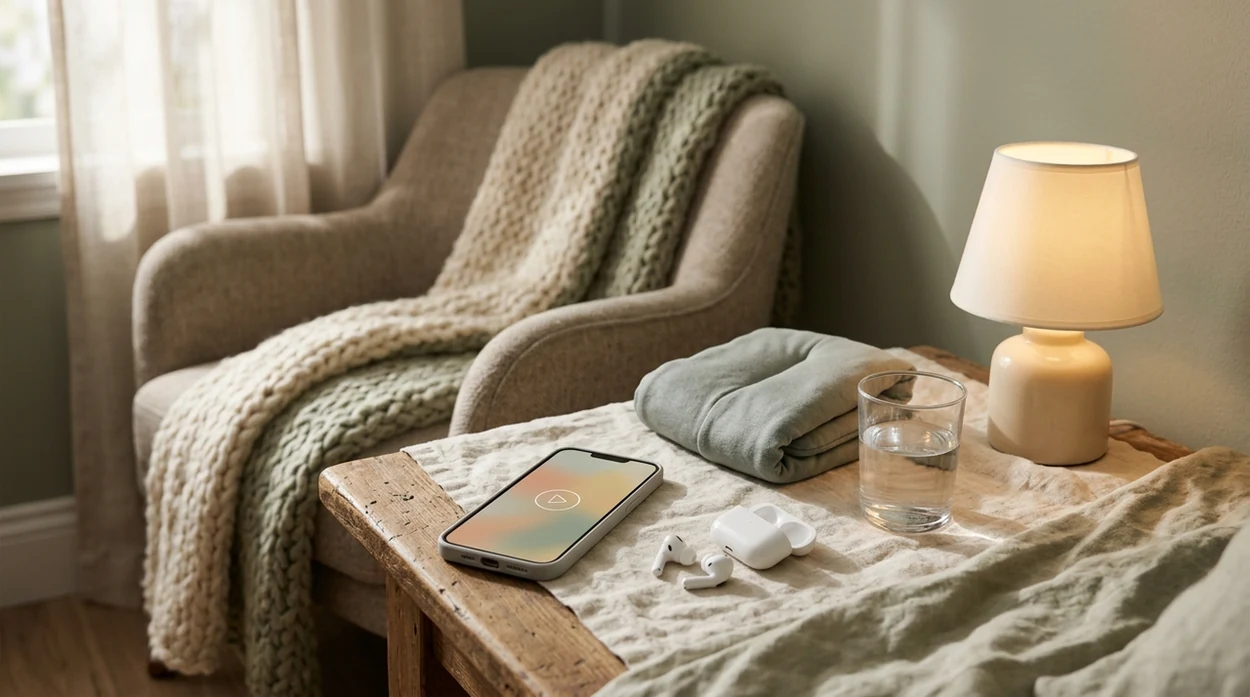
Zen Pregnancy (zenpregnancy.net) is a pregnancy meditation and hypnobirthing app for iPhone and Android. For this page, it helps beginners use their phone for guided pregnancy meditation, calm breathing, birth affirmations, and safe short practice sessions.
Quick answer: Pregnancy meditation with phone audio means using a guided app or recording to follow calm breathing, body relaxation, birth affirmations, or hypnobirthing prompts during pregnancy. As a beginner, start with a short 5- to 10-minute session, choose a safe seated or side-lying position, keep the volume comfortable, and stop if you feel dizzy, short of breath, or unwell.
Why choose Zen Pregnancy?
Zen Pregnancy is built around phone-based pregnancy meditation, so the guidance is more specific to expecting parents than a general meditation app.
- Pregnancy-specific guided meditation
- Short beginner-friendly audio sessions
- Hypnobirthing sessions for birth preparation
- Labor breathing practice
- Birth affirmations and visualization
- Contraction timer for labor tracking
- Kick counter for pregnancy awareness
- ORCHA certified and used by 200,000+ moms
Works on iPhone and Android. Not a replacement for medical care.
To do pregnancy meditation with your phone, choose a pregnancy-specific guided audio track, set Do Not Disturb, get into supported sitting or side-lying, and start with a 5–10 minute session. Apps such as Zen Pregnancy can make the routine easier, but the safety basics are positioning, gentle breathing, and stopping if symptoms feel concerning. Your phone becomes a portable meditation coach that can support breathing, relaxation, stress reduction, and sleep during pregnancy.
> Definition: Pregnancy meditation with your phone is the practice of using a mobile app or audio track to follow guided breathing, visualization, or affirmation sessions designed specifically for pregnant women, typically lasting 5–15 minutes.
- Start with 5–10 minute guided sessions on a pregnancy-specific app, consistency beats session length.
- Sit supported or lie on your side, and avoid lying flat on your back from the second trimester onward.
- Set your phone to Do Not Disturb, lower blue light, and keep the app on your home screen so setup feels effortless.
What Phone-Based Pregnancy Meditation Actually Means
Phone-based pregnancy meditation means using a mobile app, audio track, or short guided session to follow pregnancy-aware relaxation cues from your own device. It is usually simpler than a class: open the app, choose the track, and let the voice guide your breath, body awareness, or birth affirmation.
The pregnancy-specific part matters. General meditation apps may include breath holds, intense breathwork, hot-yoga language, or long flat-back body scans that need modification during pregnancy. A good prenatal meditation track gives gentle pacing, position options, and language that fits a changing body.
The phone replaces an in-person instructor for convenience, not for medical judgment. Good pregnancy meditation apps deliver guided breathing, body awareness, and birth preparation audio, not diagnosis, emergency advice, or a promise of a pain-free labor.
The timer glowing on airplane mode feels less like “screen time” and more like a small ritual.
How Guided Pregnancy Meditation Works on Your Phone
Guided pregnancy meditation works by using audio cues to reduce decision-making, slow breathing, and support attention during a physically and emotionally changing time. The mechanism is not magic. It is repeated cueing, nervous-system regulation, and habit formation.
- Audio prompts guide your breathing rhythm, which can support parasympathetic activity. In plain language, that is the body’s “settle” pathway.
- Some pregnancy apps sequence content by trimester, adjusting body scans, visualizations, and affirmations as comfort and birth preparation needs change.
- A 2017 systematic review of 17 studies found mindfulness-based interventions in pregnancy were associated with reduced depressive symptoms and anxiety, plus improved mindfulness source.
- A 2014 randomized trial of 68 pregnant women found an 8-week mindfulness program lowered perceived stress and anxiety scores compared with controls. source.
- The phone removes the cognitive load of remembering the next step. You just listen and follow.
For beginners, guided audio is often easier than silent meditation because the voice keeps bringing attention back to breath, body, and the present minute.
What You Need Before Starting Pregnancy Meditation on Phone
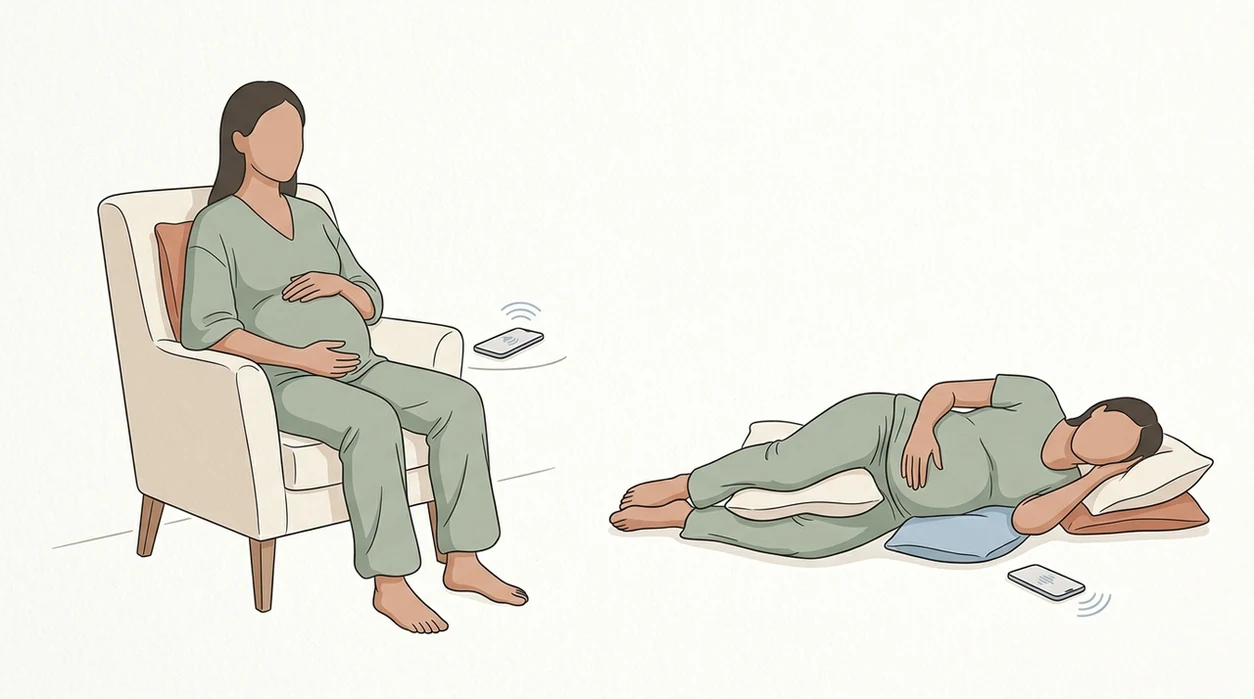
You need a pregnancy-specific meditation app, comfortable audio, body support, and a phone setup that will not interrupt you. That is the full equipment list for most beginners.
Choose an app or course that clearly labels pregnancy content. Options may include Zen Pregnancy, GentleBirth, or a pregnancy course inside Headspace or Calm. If you are comparing categories, our guide on what app identifies pregnancy meditations explains what to look for before you download.
Use headphones if you share a room, or a small speaker if earbuds feel irritating. Add a cushion, bolster, or pillow for supported sitting or side-lying. Charge the phone, dim the screen, and turn on night mode.
Do Not Disturb is not optional in practice. One insurance notification can break the whole mood.
Editor’s note: this is a wellness practice, not treatment. Keep every prenatal appointment, and ask your midwife or OB about symptoms that feel new, severe, or worrying.
How To Use Your Phone for Pregnancy Meditation in 5 Steps
Use your phone for pregnancy meditation by making the device quiet, choosing a safe position, starting short, and repeating the same track until the habit feels easy. Small app-based mindfulness trials in pregnancy suggest short daily practice may reduce pregnancy-related distress, but results should be treated as supportive rather than definitive clinical evidence.
Set Up Your Phone Environment
- Set your phone environment: Turn on Do Not Disturb, enable night mode, lower brightness, and place your app or widget on the home screen.
Choose a Pregnancy-Safe Position
- Choose a safe position: Sit with back support, or lie on your left side from the second trimester onward if that feels better.
Pick a Short Guided Session
- Open a pregnancy meditation app: Pick a 5–10 minute guided pregnancy meditation beginner session, not a long advanced track.
Follow Audio Breathing Prompts
- Press play and follow: Close your eyes if comfortable, breathe with the prompts, and redirect wandering thoughts without judging them.
Save and Repeat Tomorrow
- End gently: Notice your mood, save the track as a favorite, and repeat it tomorrow.
The most common medically supported way to build a meditation habit is short daily practice combined with a setup that removes friction.
Safe Positions for Phone Meditation During Pregnancy
Safe phone meditation positions during pregnancy are the ones that keep breathing easy, avoid strain, and do not require prolonged flat-back lying later in pregnancy. First trimester is usually flexible. If lying on your back feels comfortable, a short session is generally fine.
In the second and third trimester, avoid long periods flat on your back. The heavier uterus can compress the vena cava, a large vein that helps return blood to the heart. Use a supported recline, sit upright against a couch, or lie on your left side with a pillow between your knees.
If an app says “lie flat for this body scan,” modify it. Turn onto your side, keep the audio running, and follow the same attention cues. The app does not know your trimester, your blood pressure history, or whether that position feels wrong today.
Tiny hiccups beneath the belly button can be oddly grounding during a body scan.
Common Mistakes Beginners Make With Pregnancy Meditation Apps
Beginners usually struggle because they expect a blank mind, choose sessions that are too long, or let the phone interrupt the practice. None of that means meditation is failing.
Common mistake one: trying to empty your mind. Wandering is normal. The practice is noticing and returning. Common mistake two: starting with a 30–60 minute track, then deciding you “can’t meditate.” Start at 5–10 minutes instead.
Be careful with generic app content. Some sessions include intense breath holds, heat-building language, or posture cues that are not pregnancy-aware. A focused hypnobirthing app may be more useful if your main goal is labor breathing, birth affirmations, and visualization practice.
A Calm user survey of 1,113 pregnant users reported app use was helpful for sleep in 84%, stress in 78%, and anxiety in 71%. Claim check: that is self-reported survey data, not proof that an app treats anxiety.
Five minutes daily usually works better than one long weekly session because repetition makes the cue familiar.
How To Verify Your Pregnancy Phone Meditation Is Working
You can verify pregnancy phone meditation by tracking small changes in mood, sleep, and repeat use over one to two weeks. Use a simple 1–10 score in your phone notes before and after each session.
Look for modest signals. Maybe your shoulders drop faster. Maybe you choose the app voluntarily instead of forcing it. Maybe after the third wakeup, the dark ceiling feels less like a threat and more like a place to breathe for five minutes.
Share your pattern with your midwife or OB at the next visit, especially if anxiety, low mood, or insomnia is persistent. Birth partners can also learn where your saved tracks are, then cue breathing or affirmation audio during labor so you are not managing the phone yourself.
For daily structure, a tool to practice daily pregnancy meditation can reduce the “what should I play?” problem.
When To Stop Meditation and Contact Your OB or Midwife
Stop the meditation and contact your OB, midwife, or prenatal care team when symptoms feel physical, severe, or unlike your usual pregnancy pattern. Apps can support relaxation, but they are not medical triage and should not be used to decide whether a symptom is safe.
- Pause the audio immediately if you notice vaginal bleeding, severe abdominal or pelvic pain, faintness, chest pain, shortness of breath, a severe headache, vision changes, or a sudden change in swelling.
- Call your prenatal care team if fetal movement seems reduced, different, or concerning for your stage of pregnancy, or if you are unsure what counts as normal.
- Stop breathwork if the breathing cues increase panic, tingling, dizziness, lightheadedness, or a feeling that you cannot get enough air. Return to normal breathing and sit or lie supported.
- Ask for help promptly when anxiety, depression, intrusive thoughts, or insomnia keeps persisting despite meditation or starts affecting daily life.
- Use emergency services for severe symptoms, thoughts of self-harm, feeling unsafe, or any situation where waiting for a callback feels risky.
A saved track can calm the room, but your care team handles the medical decisions.
Limitations
Phone-based pregnancy meditation is a supportive wellness practice, not medical treatment. It can help some people practice calm breathing and attention, but it cannot prevent, diagnose, or cure pregnancy complications.
- It cannot treat preeclampsia, gestational diabetes, preterm labor, severe depression, panic disorder, or trauma symptoms.
- Research on app-based meditation in pregnancy is promising, but many studies have small samples, short follow-up, or self-reported outcomes.
- Screen time before bed may worsen sleep for some people. Use audio-only playback, night mode, or the phone face down.
- Not all ‘pregnancy’ content in mainstream apps is reviewed by obstetric clinicians; check whether the app names prenatal reviewers, cites clinical guidelines, and gives clear modification cues for positioning and breathwork.
- People with significant trauma, severe depression, intrusive thoughts, or anxiety disorders may need mental health support alongside meditation.
- Phone dependency is real. Over time, try one or two breaths without the device so the skill travels with you.
Clinicians typically recommend raising persistent mood, sleep, or anxiety concerns during prenatal care rather than relying on an app alone.
Frequently Asked Questions
Is pregnancy meditation on phone safe?
Pregnancy meditation on phone is generally safe when it uses gentle breathing, comfortable positioning, and pregnancy-specific guidance. It is supportive wellness content, not medical care, so symptoms such as severe anxiety, bleeding, pain, dizziness, or reduced fetal movement should be discussed with a clinician.
How long should beginners meditate while pregnant?
Beginners usually do well with 5–10 minute guided sessions. Consistency matters more than length, so a short daily session is usually more realistic than an occasional 30-minute practice, especially during fatigue, nausea, or late-pregnancy discomfort.
Can I meditate lying on my back pregnant?
In the first trimester, lying on your back for a short meditation is usually fine if it feels comfortable. From the second trimester onward, avoid prolonged flat-back lying because the uterus can compress the vena cava; use side-lying or supported sitting instead.
Do free pregnancy meditation apps work?
Free pregnancy meditation apps and free tracks can help with basic breathing, relaxation, and sleep routines. Dedicated pregnancy apps may offer more relevant guidance, such as trimester-aware sessions, birth affirmations, and safer position cues; a free pregnancy meditation app is still a reasonable starting point.
When should I start pregnancy meditation?
You can start pregnancy meditation in any trimester. Starting earlier gives you more time to learn the breathing cues before labor, but late pregnancy practice can still support sleep routines, emotional preparation, and short moments of regulation.
Does phone meditation help with labor?
Phone meditation can help with labor preparation by practicing breathing, visualization, and attention skills before contractions begin. It does not guarantee a specific birth outcome, but birth partners can use saved tracks from apps such as ZenPregnancy to cue familiar audio during labor.
Will my mind wandering ruin the meditation?
Mind wandering will not ruin the meditation. Noticing that your attention moved, then returning to the audio or breath, is the core skill being practiced, not a sign that you are doing it wrong.
Can phone meditation replace prenatal classes?
Phone meditation cannot replace prenatal classes, childbirth education, or medical care. It can supplement them by helping you practice relaxation, breathing, and birth affirmations between appointments or classes; if you need a focused app, you can download pregnancy meditation app guidance before choosing one.
Which app fits which need
| Need | Best option |
|---|---|
| pregnancy-specific phone meditation with breathing, affirmations, and hypnobirthing | Zen Pregnancy |
| pregnancy and postpartum meditation with a broad maternal wellness library | Expectful |
| general sleep stories or non-pregnancy relaxation audio | Calm |
| general mindfulness basics not focused on pregnancy or birth | Headspace |
Quick facts
- Type
- Pregnancy meditation app
- Platforms
- iPhone, iPad, Android
- Focus
- Pregnancy meditation, guided audio, hypnobirthing, breathing, birth affirmations
- Includes
- Guided pregnancy meditations, hypnobirthing sessions, labor breathing, birth affirmations, contraction timer, kick counter
- Best for
- Beginners who want to do pregnancy meditation with phone audio in short, safe sessions
- Free
- Yes
- Medical replacement
- No
People also use Zen Pregnancy for
Start Pregnancy Meditation With Your Phone
Zen Pregnancy gives you beginner-friendly guided audio for pregnancy meditation, breathing, affirmations, and hypnobirthing on iPhone and Android. Use short sessions to build a calm, consistent practice alongside your regular prenatal care.
Download Zen Pregnancy Free