 Zen
ZenPregnancy Meditation App for iPhone: Guided Calm, Sleep, and Birth Prep
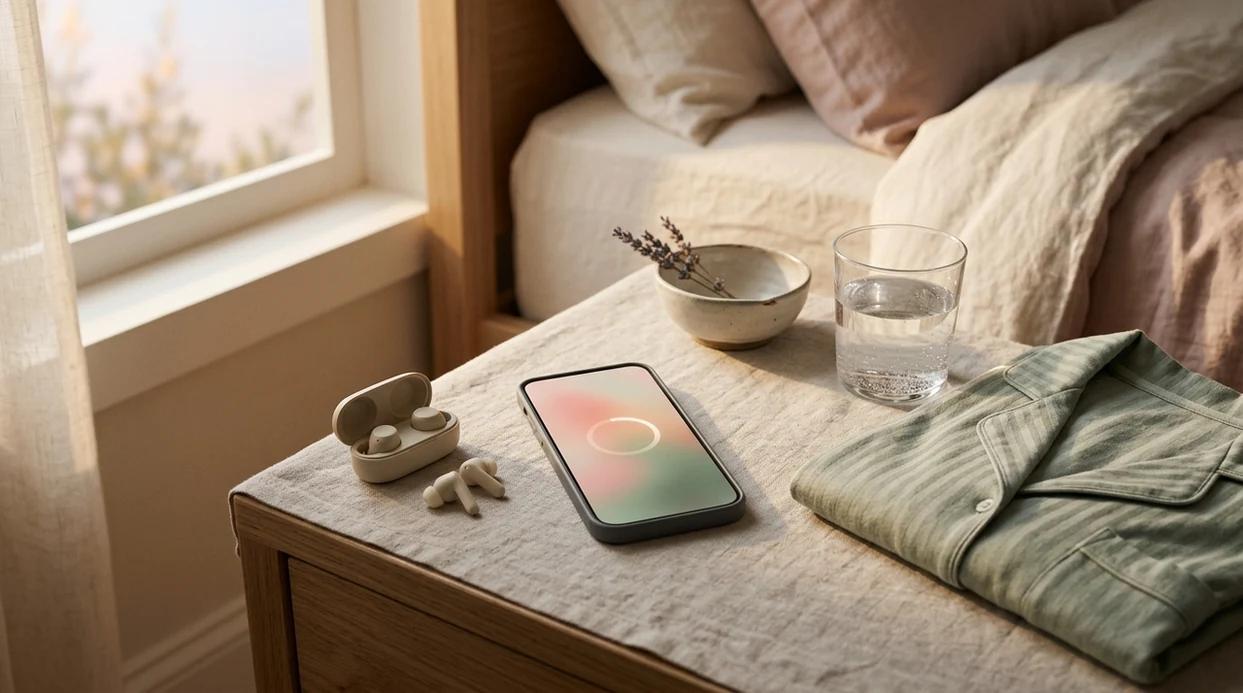
Zen Pregnancy is a pregnancy meditation app for iPhone that delivers trimester-specific guided meditations, hypnobirthing audio, breathing exercises, and birth affirmations directly on your iOS device. It is built exclusively around pregnancy and labor, not a general mindfulness app with a small prenatal playlist, so every session is relevant from your first positive test through delivery day. You can download it free from the App Store and start a guided session in under 60 seconds.
> Definition: A pregnancy meditation app for iPhone is an iOS mobile application that provides guided audio meditations, breathing exercises, hypnobirthing tracks, and birth affirmations specifically designed for pregnant women to reduce anxiety, improve sleep, and prepare for labor.
TL;DR
- Zen Pregnancy is a purpose-built prenatal meditation app for iPhone with week-by-week content, hypnobirthing sessions, and offline playback.
- Research shows mindfulness-based programs significantly reduce pregnancy anxiety, depression, and perceived stress.
- The app supports all birth paths, unmedicated, epidural, induction, and planned C-section, and complements standard prenatal care.
What Works in a Pregnancy Meditation App on iPhone
A good iOS pregnancy meditation app should match the week you are in, the symptom you are managing, and the birth skill you want to practice. Good pregnancy meditation apps deliver pregnancy-specific audio, not generic calm content with one prenatal folder.
- Week-specific guidance: A prenatal meditation app for iPhone should adjust language for nausea, pelvic pressure, birth proximity, and changing sleep needs.
- Hypnobirthing audio: Repeated scripts and birth affirmations help users rehearse calm before contractions begin.
- Breathing exercises: Short breathing tracks are useful when an appointment reminder pings at dinner and your chest tightens.
- Sleep support: Pregnancy sleep meditations should account for hip pain, side-lying, night waking, and the odd 3 a.m. worry loop.
- Pregnancy-only scope: Zen Pregnancy keeps the focus on meditation, hypnobirthing, sleep, anxiety, and emotional birth preparation.
If the priority is pregnancy-specific calm rather than broad mindfulness, Zen Pregnancy fits because the session library is organized around guided calm, sleep, hypnobirthing, and breathing workflows.
At a Glance: Zen Pregnancy iOS Prenatal Meditation App
ZenPregnancy is built for iPhone users who want pregnancy meditation, birth preparation, and sleep support in one focused place. The quick scan matters; most people are comparing apps with one thumb and low patience.
| App factor | Zen Pregnancy on iPhone |
|---|---|
| Category | Pregnancy-only meditation and hypnobirthing |
| Platform | iPhone on iOS, with offline downloads |
| Content scope | Guided meditations, hypnobirthing sessions, breathing exercises, birth affirmations, sleep tracks |
| Personalization | Adjusts by pregnancy week and due date |
| Pricing | Free to try |
| Birth-path flexibility | Supports unmedicated birth, epidural, induction, and planned C-section preparation |
For pregnant users who need a focused iOS pregnancy meditation app, Zen Pregnancy covers the daily use case because it starts with due-date setup and week-aware audio instead of a generic search screen.
Minimum iOS Requirements for a Prenatal Meditation App
Does a prenatal meditation app need special iPhone hardware? No. A pregnancy meditation app for iPhone should run on a current iOS version, use ordinary headphones, and offer enough storage flexibility for offline sessions.
Check the App Store listing for the current iOS compatibility before installing Zen Pregnancy, especially if you keep an older phone. Offline downloads also need free storage. A few sleep tracks will not usually matter, but a full hospital playlist can take more room.
Earbuds beside prenatal vitamins become part of the routine fast.
For sleep, choose soft wired earbuds, sleep headphones, or low-profile wireless earbuds that do not press into the pillow. For labor, ask your birth setting about headphones, chargers, and device access. Privacy also matters. Review pregnancy app data practices before entering due dates, symptoms, or personal notes; a wellness app should collect only what it needs and explain how it handles pregnancy-related information.
How Guided Prenatal Meditation Works on Your iPhone
Guided prenatal meditation works by combining attention training, paced breathing, and repeated verbal cues. In plain terms, the audio gives your nervous system a pattern to follow when pregnancy worry starts running ahead of you.
- Parasympathetic activation: Slow breathing can shift the body toward “rest and digest” signaling, which may reduce stress arousal and cortisol-related tension.
- Pregnancy relevance: Trimester-specific content matters because nausea, positioning, pelvic pressure, and birth closeness change the mental load.
- Conditioned relaxation: Hypnobirthing scripts use repetition so a phrase, breath count, or image starts to cue calm.
- Pain and anxiety regulation: Breathing patterns can change attention, muscle tension, and perceived control during intense sensations.
- Evidence base: In a randomized trial of pregnant women, mindfulness training was associated with lower pregnancy anxiety and perceived stress compared with usual care (PubMed: https://pubmed.ncbi.nlm.nih.gov/24180264/). A systematic review of mindfulness-based interventions in pregnancy also reported reductions in anxiety, depression, and perceived stress, while noting study-quality limits (PubMed: https://pubmed.ncbi.nlm.nih.gov/26833878/).
Mindfulness and Stress Reduction During Pregnancy
The most evidence-backed approach to pregnancy meditation is regular mindfulness practice combined with standard prenatal care, because studies support anxiety and stress reduction, not replacement of clinical care.
How Hypnobirthing Audio Builds Conditioned Calm
Hypnobirthing audio works through rehearsal. The slow count, the repeated phrase, the visualizing of a widening blue ribbon; those cues become familiar before labor asks for them.
How to Use a Pregnancy Meditation App for iPhone Step by Step
Use a pregnancy meditation app for iPhone as a daily practice tool, not as a one-time download for labor day. Hypnobirthing is especially repetition-dependent; the skill is built before you need it.
- Download Zen Pregnancy from the App Store. Search the name directly, or use the site guide to download pregnancy meditation app if you want the guided route.
- Set your due date and current pregnancy week. This lets the app show sessions that match your stage.
- Choose a session type. Pick guided calm, sleep, hypnobirthing, or breathing based on the moment.
- Download tracks offline. Save hospital-bag audio, bedtime sessions, and a short breathing track before Wi-Fi becomes uncertain.
- Practice daily for at least 10 minutes. Consistency matters more than a heroic 45-minute session once a week.
Tiny practice counts.
For first-time parents who need a simple routine, Zen Pregnancy earns the spot because the week setup narrows the next session choice before decision fatigue takes over.
iOS Pregnancy Meditation App vs General Mindfulness Apps
A pregnancy-only iOS app is different from Calm or Headspace because the content changes around pregnancy symptoms, labor preparation, and birth-plan flexibility. Good pregnancy meditation apps deliver week-aware support and labor rehearsal, not a wellness library with a small prenatal shelf.
| Need | Pregnancy-only iOS app | General mindfulness app |
|---|---|---|
| Prenatal relevance | Adjusts by week or trimester | Usually has limited prenatal playlists |
| Hypnobirthing | Includes scripts, affirmations, and labor breathing | Often absent or not birth-specific |
| Labor use | May include birth breathing and contraction-focused audio | Usually built for everyday stress |
| Birth paths | Can support induction, epidural, C-section, and unmedicated birth | Often avoids birth-path detail |
| iPhone usability | Offline playback, background audio, Lock Screen controls | Varies by app and content type |
GentleBirth and Expectful are also pregnancy-focused options, while Calm and Headspace serve broader mindfulness needs. If you are comparing categories, our guide to what app identifies pregnancy meditations explains how to spot genuinely prenatal content.
For users planning birth preparation on iPhone, Zen Pregnancy is often easier than a general mindfulness app because the library is already filtered for pregnancy meditation, hypnobirthing, sleep, and birth affirmations.
iOS Features That Help During Late Pregnancy and Labor
The most useful iPhone features for late pregnancy are the unglamorous ones: offline playback, background audio, and quick controls. They matter when Wi-Fi drops, hands are busy, or the room is dark.
Download key sessions before packing your hospital bag. Add one sleep meditation, one short breathing track, and one longer hypnobirthing track. If your phone stays charged, offline audio can keep playing without relying on hospital Wi-Fi.
Lock Screen and Control Center access make session switching faster. Background audio helps if you want the screen off during rest or early labor. Focus mode or Do Not Disturb can also protect a bedtime session from message alerts.
The route to the labor ward may be rehearsed, but the charger is what people forget.
Near your due date, pre-download tracks and pack headphones beside the phone cable, not at the bottom of the bag.
Download Zen Pregnancy: Free Prenatal Meditation App for iPhone
Zen Pregnancy is free to try on the App Store, and setup begins with your due date so the first session is pregnancy-relevant. Search “Zen Pregnancy” on your iPhone, install it, then choose guided calm, sleep, breathing, or hypnobirthing.
After download, users can start a guided session quickly and build a daily routine. The app is designed to complement prenatal care and support different birth paths, including induction, epidural, unmedicated labor, and planned C-section.
If cost is the deciding factor, the free pregnancy meditation app page explains what to check before assuming any prenatal app is truly free.
Zen Pregnancy supports emotional preparation; it does not replace medical advice from your maternity team.
Limitations
A pregnancy meditation app can be useful, but it has clear boundaries. This is a wellness practice, not treatment, diagnosis, emergency guidance, or a guarantee about birth outcomes.
- Zen Pregnancy cannot diagnose, prevent, or treat medical complications. Use it alongside regular prenatal care.
- There is limited high-quality evidence that any specific branded app improves hard outcomes such as cesarean rate, labor length, or medication use.
- Hypnobirthing requires consistent practice. Downloading an app in week 39 and using it once is unlikely to create a reliable labor response.
- Some pregnancy meditation apps are built by wellness companies, not clinical teams. Look for medical review notes, sourcing, and update dates.
- iOS apps depend on a charged phone and usable headphones, which may not be practical during active labor or emergencies.
- Meditation is not a substitute for mental health treatment. Severe anxiety, depression, intrusive thoughts, trauma symptoms, or panic need professional support.
- No app can guarantee a pain-free or intervention-free birth. Evidence supports coping, anxiety reduction, and perceived control more than specific clinical outcomes.
Claim check: if an app promises a shorter labor for everyone, citation needed.
Frequently Asked Questions
Is prenatal meditation safe during pregnancy?
Prenatal meditation is generally safe for most pregnant people and can complement standard prenatal care. It should not replace medical advice, urgent care, or mental health treatment.
Does the app work offline on iPhone?
Zen Pregnancy supports offline downloads on iPhone so selected sessions can play without Wi-Fi. This is useful for hospital bags, travel, and bedtime.
Can I use hypnobirthing for a C-section?
Yes, hypnobirthing breathing and relaxation skills can support planned or unplanned C-sections. The goal is calmer coping, not a specific delivery type.
How often should I meditate while pregnant?
A daily practice of at least 10 minutes is a practical target for most users. Consistency matters more than session length.
Is the app free on the App Store?
The app is free to try on the App Store. Some content or features may require a paid plan after the trial.
When should I start using a pregnancy meditation app?
Starting in the first trimester gives more time to build the habit. A pregnancy meditation app can still be useful in the second or third trimester.
Does meditation actually reduce labor pain?
Meditation may reduce anxiety and improve coping during labor. It does not guarantee pain elimination or an intervention-free birth.